Tiles Catalogue logo

Tiles Catalogue

One link. Every variant. Always showing today's stock.

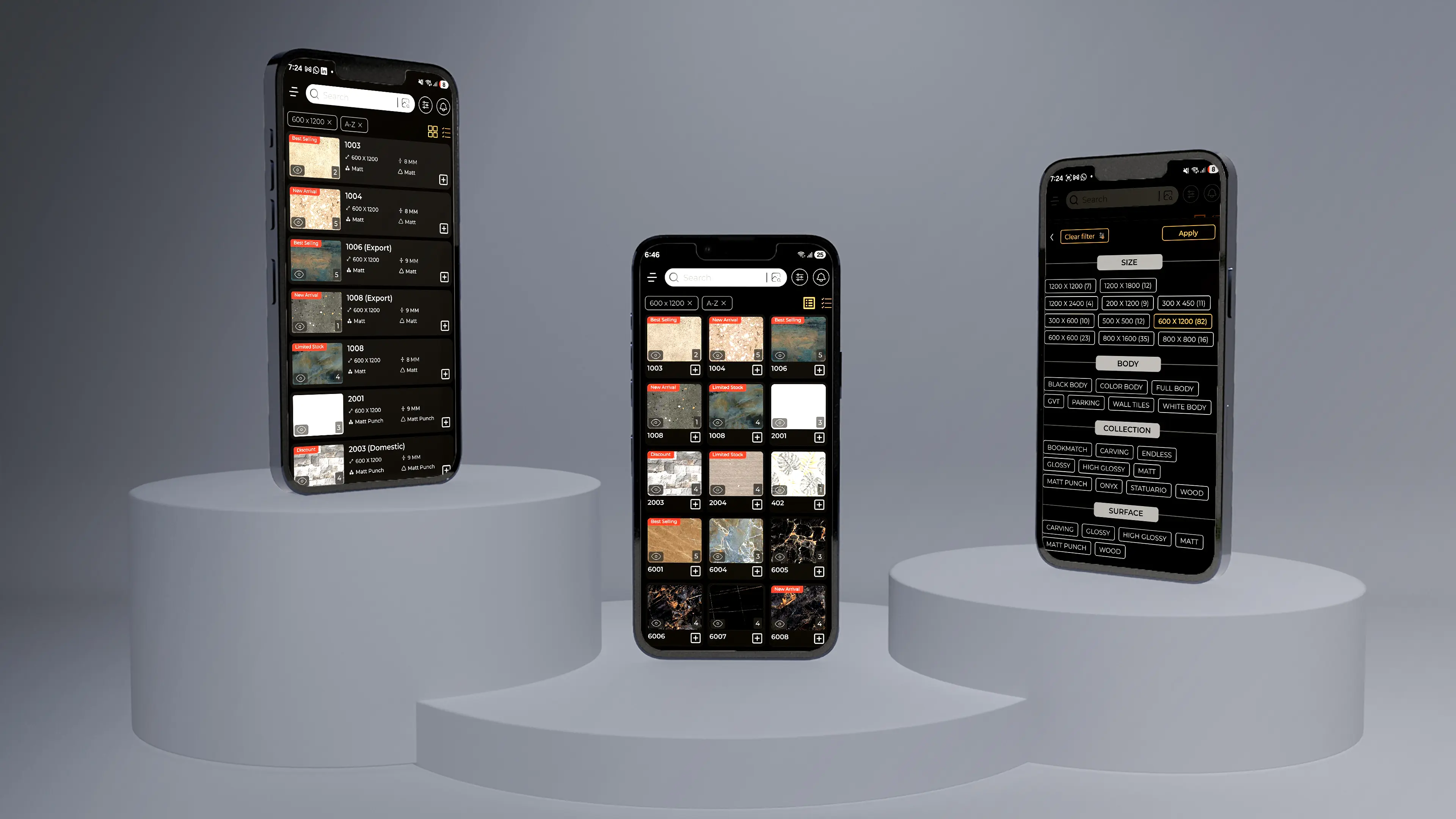
Tiles Catalogue Software turns your product database into professional, fully-branded PDF catalogues — with every size, surface, body, and thickness variant grouped in one document, not scattered across separate files. One permanent link updates itself when stock or pricing changes, so every dealer and buyer you've shared it with is always on today's catalogue, not last month's. QR stickers connect your physical showroom and expo displays directly to live digital pages. And when a buyer sends you a reference tile image asking 'do you have something like this?' — AI finds the closest match and generates a comparison PDF in seconds.

Tiles Catalogue preview

Overview

Built for manufacturers and exporters who are done rebuilding the same catalogue every month.

Every tile collection has a structure that printed PDFs can't handle well. A tile comes in 6 sizes, 4 surfaces, 2 body types, and 3 thicknesses. Multiply that across 50 designs and you're either building a 300-page document nobody can navigate, or sending five separate files and hoping the buyer opens the right one. Most manufacturers end up doing both.

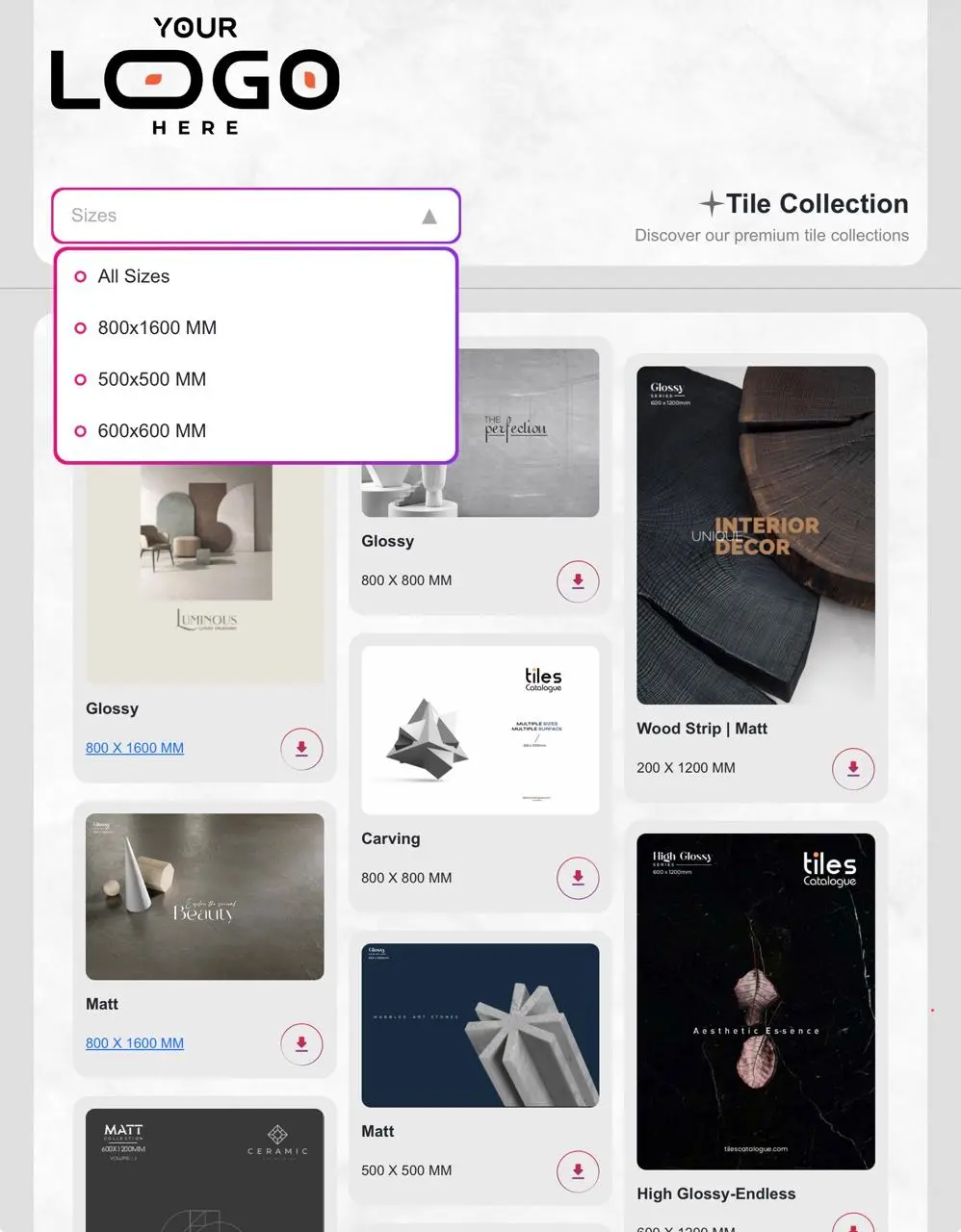
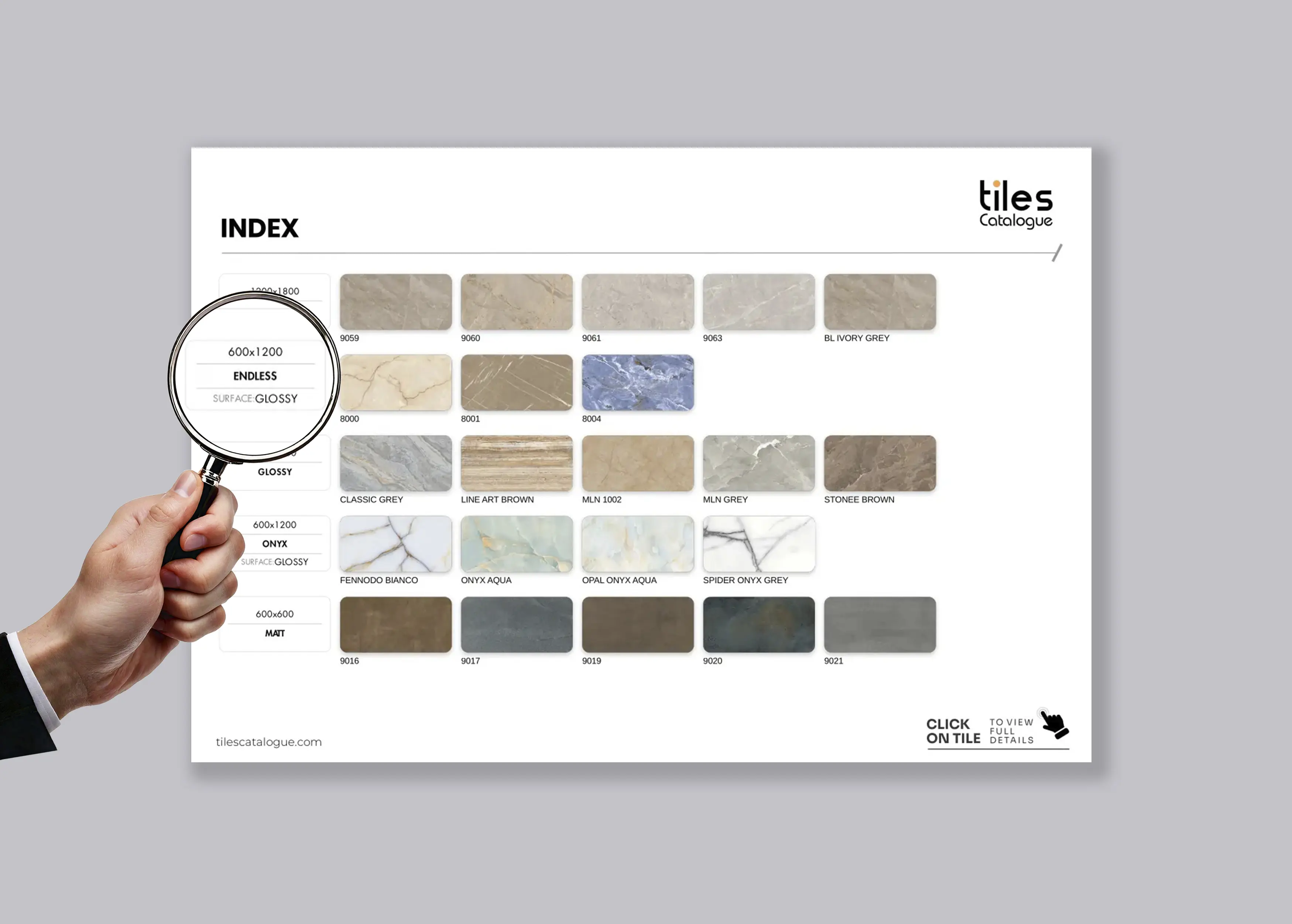
Tiles Catalogue Software is built around that complexity. One PDF holds every variant — grouped by size, surface, body, or whatever order your range actually uses — with divider pages marking each section and a clickable index so a buyer can jump straight to 600×1200 without scrolling. Best Seller, New Arrival, and Discount tags tell buyers where to look first. Stock-based layouts automatically push available tiles forward, so you're not presenting products you can't ship. One permanent link means every dealer who has it is always looking at the current version — even when you update pricing at midnight.

A Morbi tile exporter managing three collections, six size ranges, and dealer networks across multiple countries doesn't need to send a different file for every category. They need one system that stays current without manual effort. That's exactly what this does.

  • One PDF for every size, surface, body, and thickness variant — properly grouped with divider pages and a clickable index
  • One permanent link that always shows current stock and pricing — share it once, it never goes out of date
  • Stock-based layouts that automatically move available tiles to the front
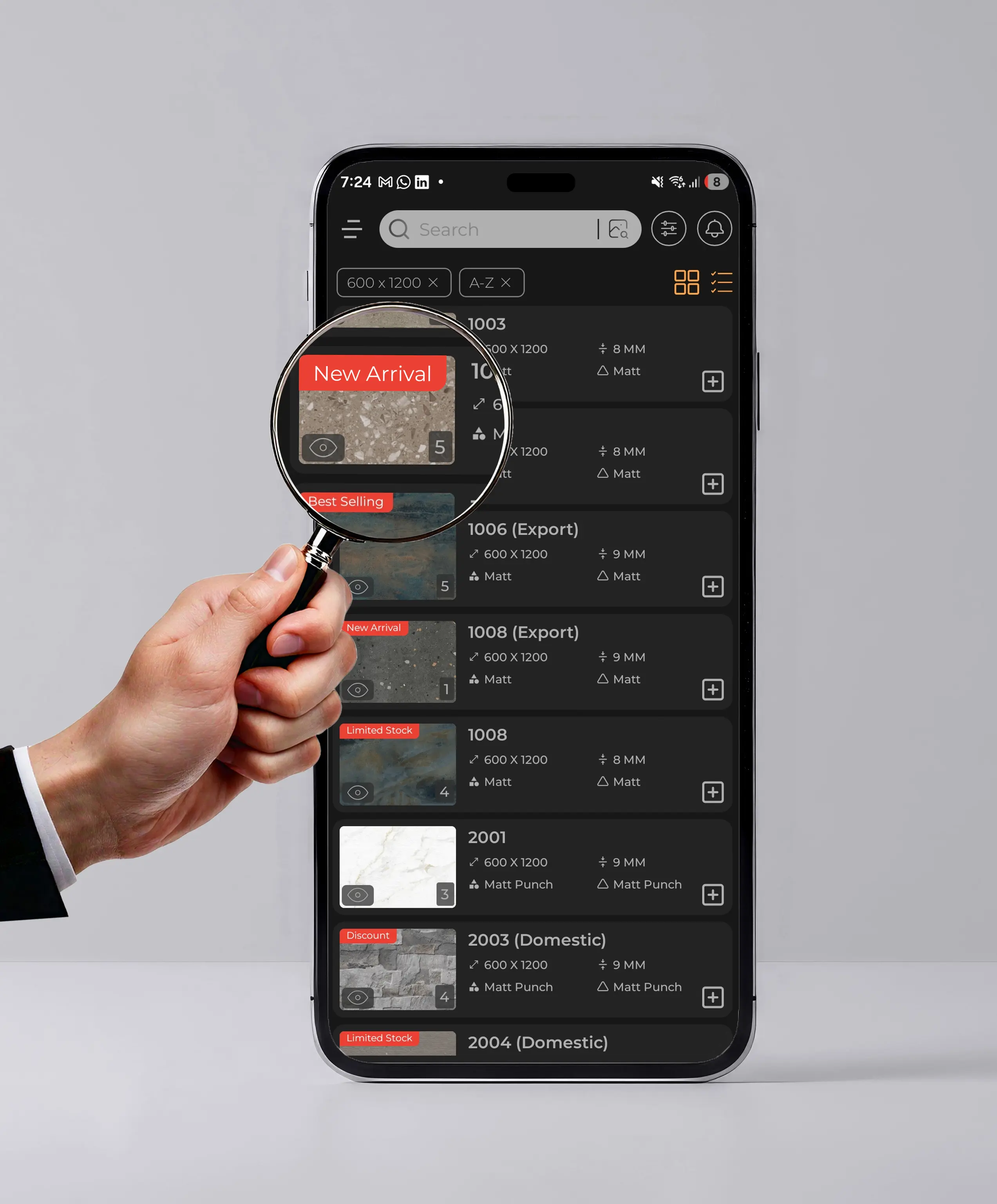
  • Best Seller, New Arrival, Discount, and custom tags that direct buyers to what matters first
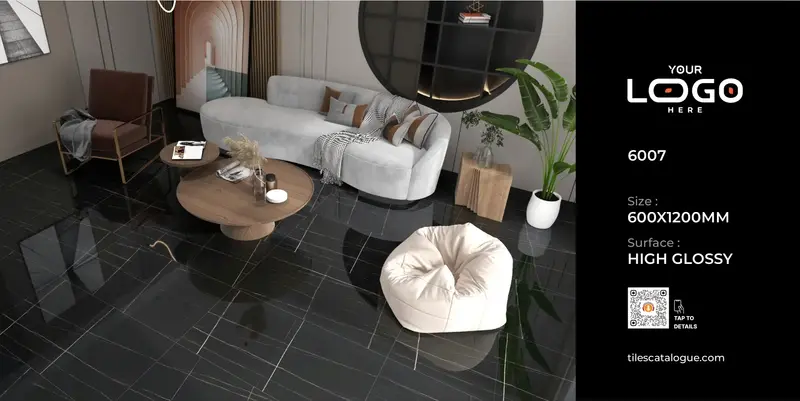
  • Auto-generated QR stickers connecting physical showroom and expo displays to live catalogue pages
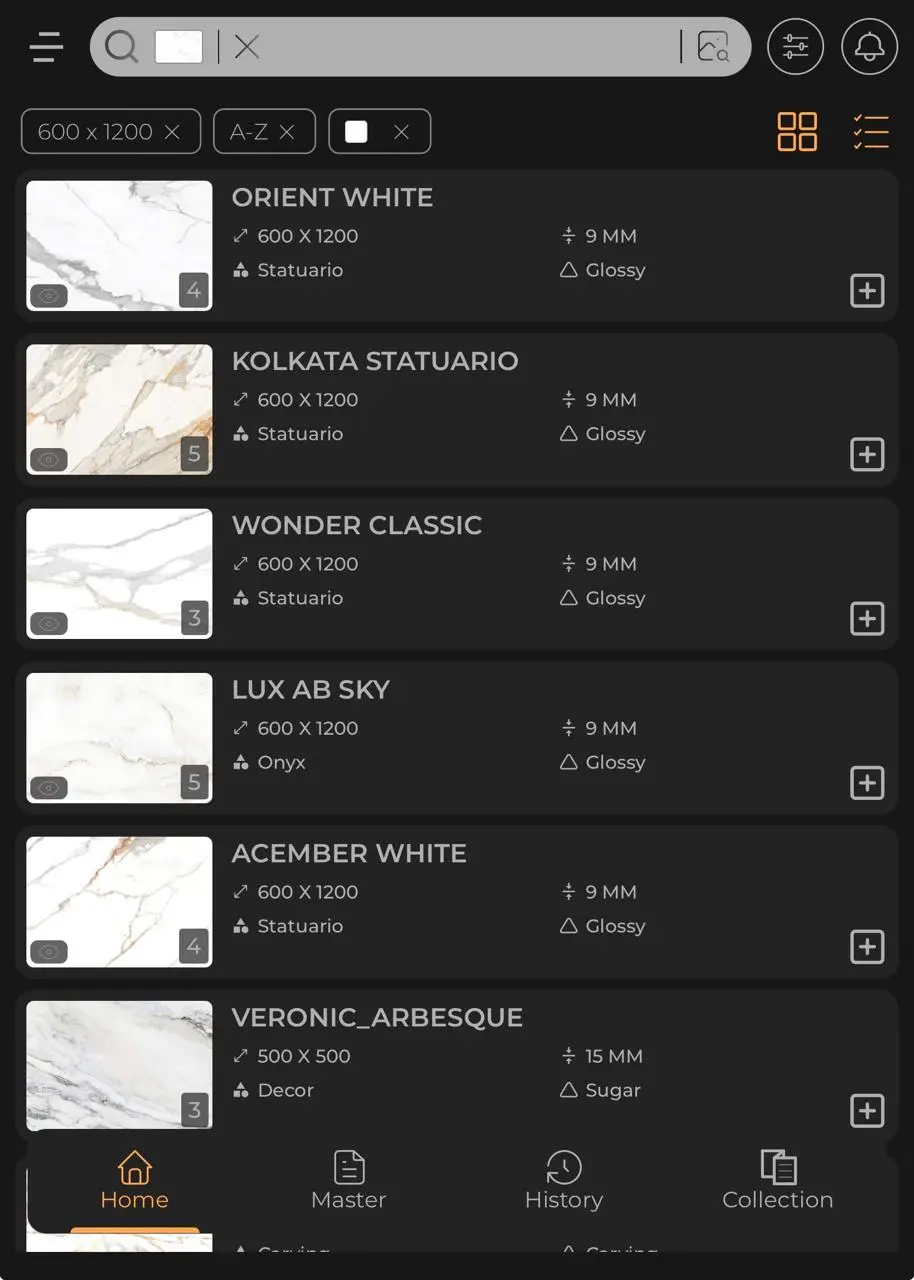
  • AI similar-image search — upload a reference tile, get matched options and a comparison PDF in seconds

Features

What you can do with Tiles Catalogue.

Smart PDF Catalogue — Every Variant, One Document, Your Brand
01

Smart PDF Catalogue — Every Variant, One Document, Your Brand

Most tile catalogues are built one painful file at a time — a separate PDF for 600×1200, another for 300×600, another for new launches. Tiles Catalogue Software builds one fully-branded PDF that holds every size, surface, body, and thickness variant, organized the way your range is actually structured. 100+ theme layouts. Your logo, your colors, your typography. Divider pages separating each section. Built in minutes, not days.

02

Carving Effects and 3D Previews — Surface Feel Before the Sample Arrives

A flat photograph doesn't capture how a carving design reads across a wall — the shadow depth, the way texture shifts in different light, how it looks from three metres away. Tiles Catalogue Software renders carving effects and 3D previews directly in the catalogue workflow, so buyers understand the surface feel before requesting a physical sample. Fewer samples shipped. Faster decisions.

QR Stickers, Audio Stories, and Print-Ready Panel Layouts
03

QR Stickers, Audio Stories, and Print-Ready Panel Layouts

Stick a QR sticker on your showroom tile display and it links directly to that tile's live catalogue page. The same scan — or a link inside the PDF — can play an AI-generated audio story for that tile: its design inspiration, surface characteristics, recommended applications. Export print-ready panel layouts sized for showroom walls or expo booths. Your physical display, your PDF, and your digital catalogue page all connected to one live source — no manual updates needed when anything changes.

One Permanent Link — Always Current, Never Resent
04

One Permanent Link — Always Current, Never Resent

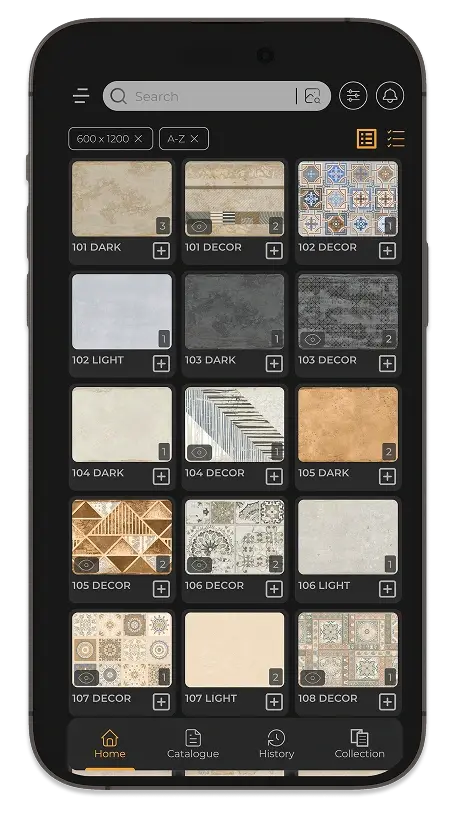
Share one link for your catalogue. That's the only link you'll ever send. When stock changes, when pricing updates, when new arrivals come in — the link updates itself. Every dealer, buyer, and agent who has it is always looking at today's catalogue, not a version from three months ago. Stock-based layouts move available tiles to the front automatically, so the first thing a buyer sees is what you can actually ship. Not last season's inventory.

AI Similar-Image Search — Match Any Reference Tile in Seconds
05

AI Similar-Image Search — Match Any Reference Tile in Seconds

A buyer sends a photo: 'Do you have something like this?' The old process was searching your collection by eye and sending photos back one by one. The new process: upload the reference image, and AI matches it against your full library — across surfaces, bodies, and sizes — then generates a comparison PDF with the closest options, ready to share in seconds. Faster replies. Less back-and-forth. Better chance of closing before they find the same thing elsewhere.

Clickable Index — Navigate Any PDF Instantly on Any Device
06

Clickable Index — Navigate Any PDF Instantly on Any Device

A PDF with 80 tiles across six size ranges doesn't work if buyers have to scroll through it page by page on a phone. Every multi-size PDF built with Tiles Catalogue Software includes a clickable index — tap 600×1200 and go directly to that section. Divider pages mark each collection clearly. Works on desktop, mobile, and tablet without any additional technology. Buyers find what they're looking for without calling you to ask which page it's on.

Smart Tags — Best Seller, New Arrival, Discount, In Stock
07

Smart Tags — Best Seller, New Arrival, Discount, In Stock

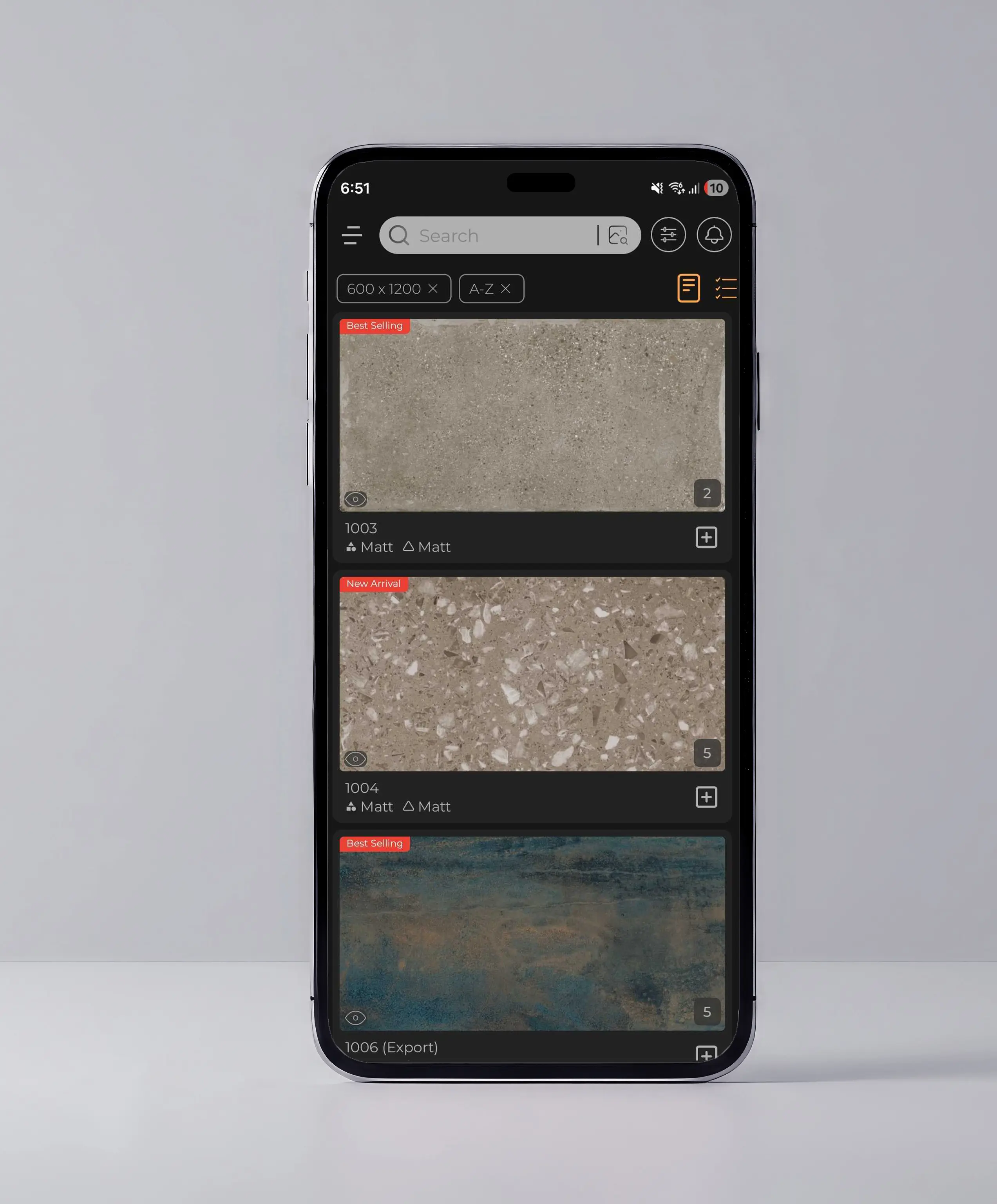
Not every tile in your catalogue deserves equal attention. Best Seller tags show buyers what your existing customers actually choose. New Arrival tags flag what just came in. Discount tags move what needs to move. Every tag appears on the tile card in the PDF and on the live catalogue page — so buyer attention goes where you need it to, not wherever the PDF happens to open.

Live Sales Presentations — No Setup, No Outdated Files
08

Live Sales Presentations — No Setup, No Outdated Files

Your sales team is in a meeting. A buyer asks to see the full range for 800×1600. Opening a folder, locating the file, and hoping the version is current isn't a presentation — it's a risk. Tiles Catalogue Software is accessible on any device, always showing the current collection, with the same tag highlights and stock status your digital buyers see. The catalogue is the presentation. Nothing extra needed.

Who It’s For

For businesses where the catalogue is out of date before it's finished printing.

  • Tile manufacturers managing multi-size ranges with frequent stock changes
  • Exporters presenting current pricing and availability to overseas buyers
  • Wholesalers and distributors coordinating catalogues across dealer networks
  • Showroom networks connecting physical displays to live digital catalogue pages
Start a conversation